ConnectIn is a location based linked in that connects you to jobs, content and users based on your location and profile

Ever wished you could find your next job as easily as you find a date? Connect In reimagines professional networking by bringing the 'swipe and apply' concept to the job market. Connect with local opportunities and grow your network without the usual headache.
Problem statement
Create a localized professional platform that facilitates job discovery and networking via a swipe-to-connect mechanic. The app integrates core social media features, including a centralized home feed for user interaction and a robust messaging system, allowing users to build meaningful professional relationships based on shared interests and geographic proximity.
Understanding the User
User Goals
Finding and applying to new jobs
The goal is to eliminate 'application fatigue.' Users seek a frictionless path to their next career move—one where the algorithm does the heavy lifting of filtering, leaving them with only high-quality matches they can connect with in a single swipe.
Connecting with people
The goal is to bridge the gap between digital networking and real-world collaboration. Users want an intuitive way to filter for shared professional interests and proximity, ensuring every new connection is relevant, local, and mutually interested.
The solution I'm thinking…
User profile
User signs up to the platform and creates a list of their preferences and skills in their user profile.
Job matches based on the profile
Jobs recommended to the user based on their profile, skills and qualifications.
Applying through gestures
Apply to companies through simple swipe gestures like swipe right to apply or swipe left to skip.
Companies receive only relevant information
The company that posted the job will only see relevant information about the user based on the job type so screening process is smoother for them.
Connect with people based on proximity
Users can connect with people of any skill set near them similar to other social apps. If both users swipe right on each other, they can share locations through the app so it's easier to connect.
Initial research
I’ve integrated the core functionalities of major platforms like LinkedIn, Bumble, and Google Maps to solve a specific problem: the friction of local job hunting. By combining community engagement with hyper-local discovery and intuitive matchmaking, this project offers a high-utility, all-in-one professional hub.
User Journey
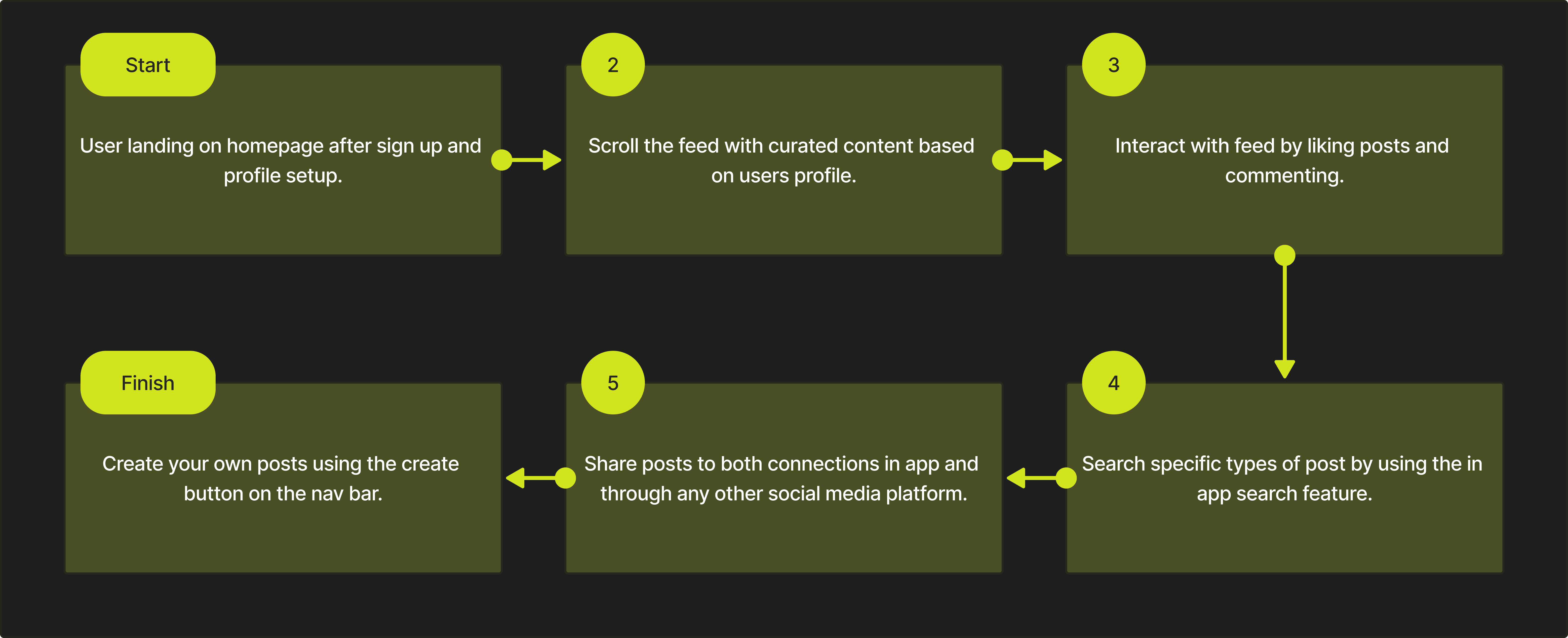
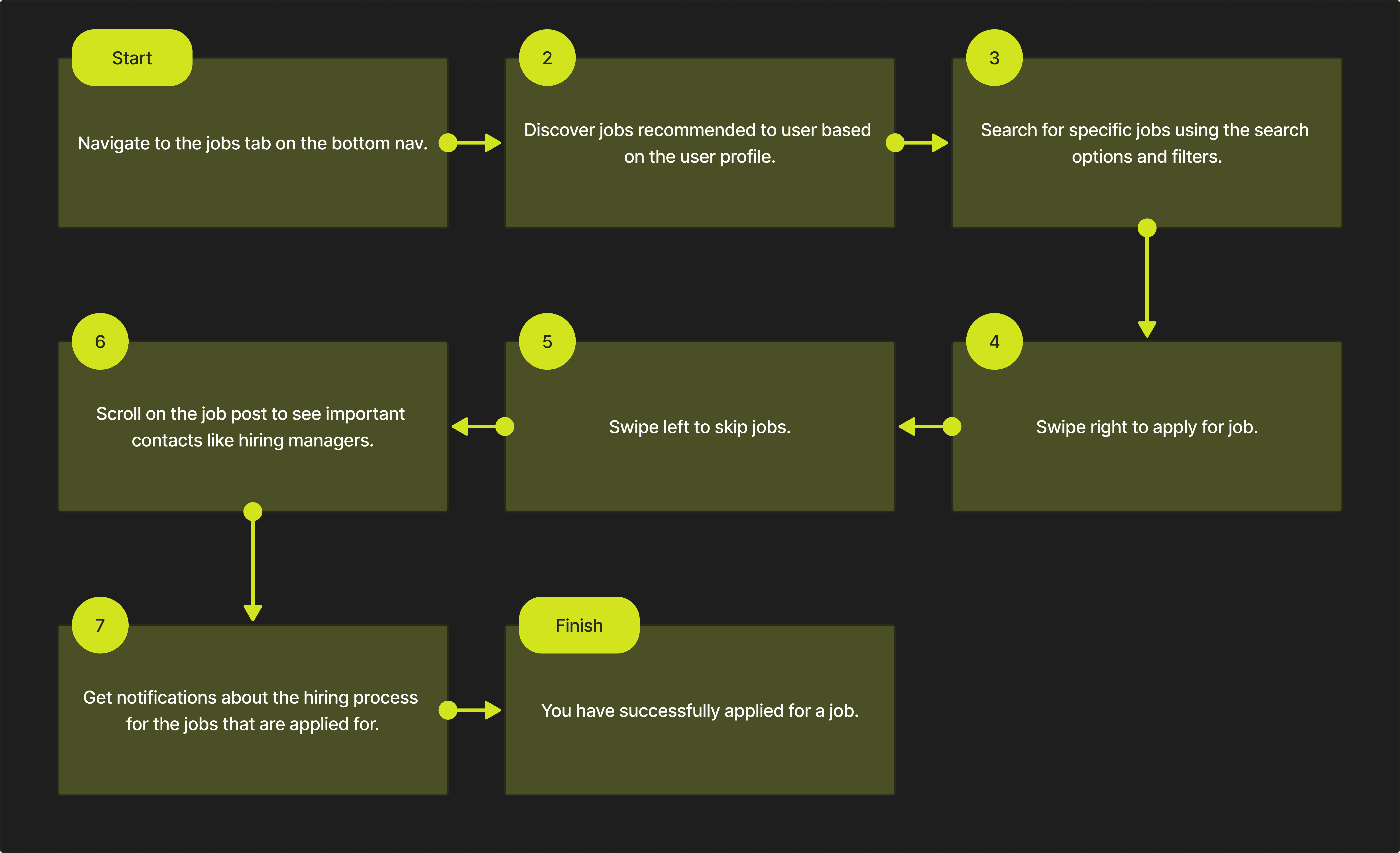
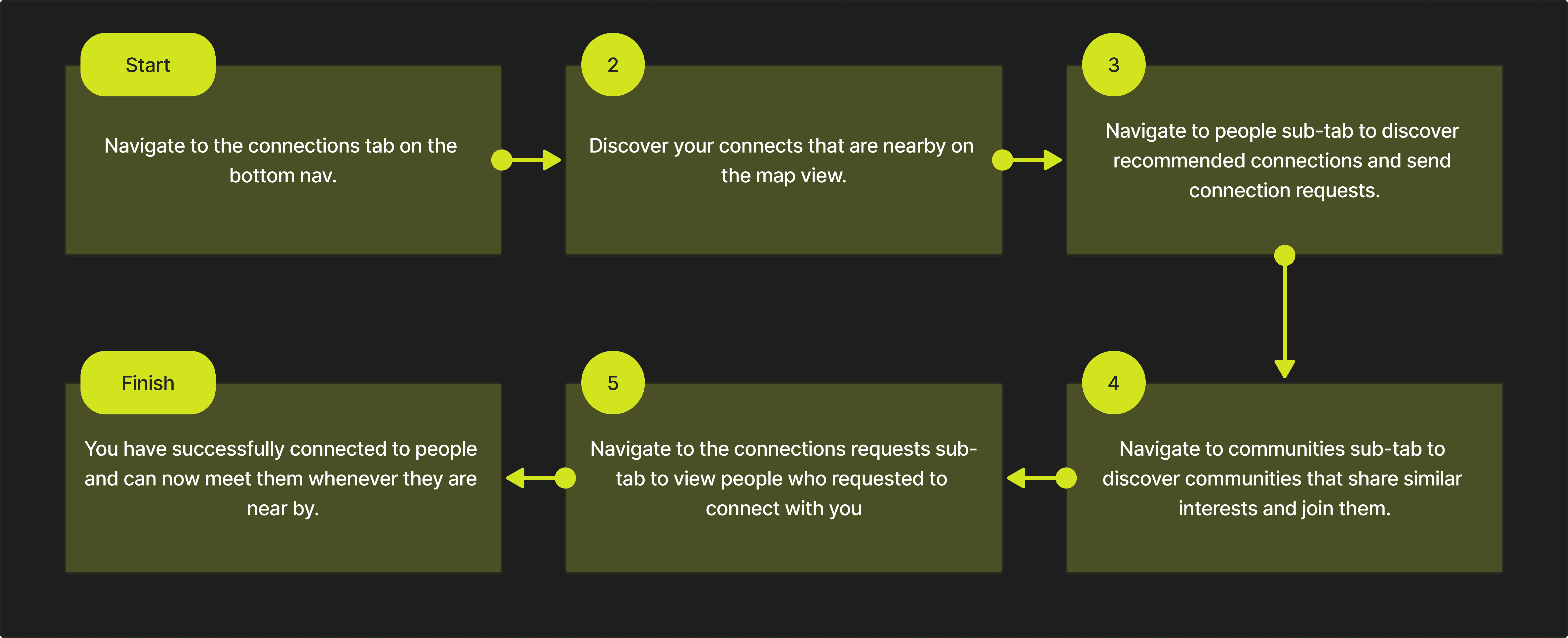
Here is the flow a typical user is expected to follow.
Using the homepage
Applying for jobs
Creating connections
Design process
Wireframing to get started on implementation of a skeleton for all the features and deciding where each feature should live on the app. Creating dynamic reusable components, selecting consistent font styles, grid systems and colors come next.
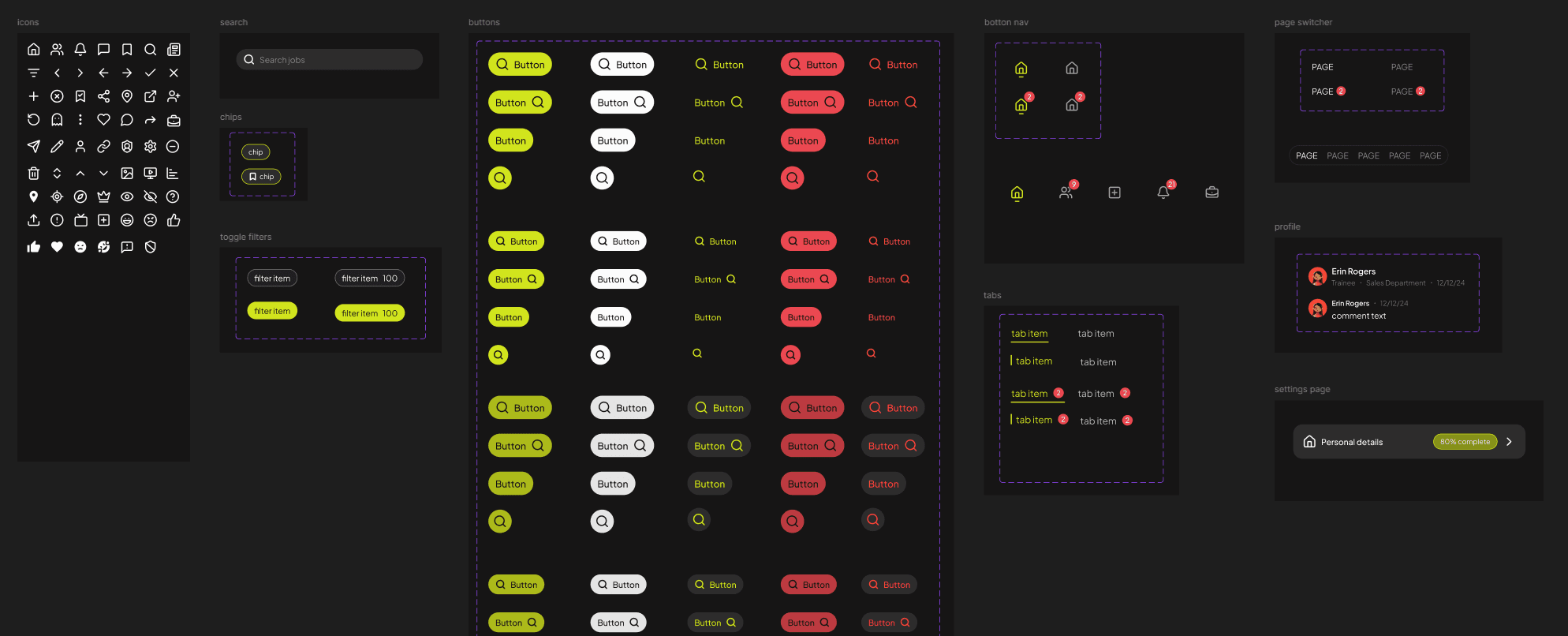
Design language and Color pallet
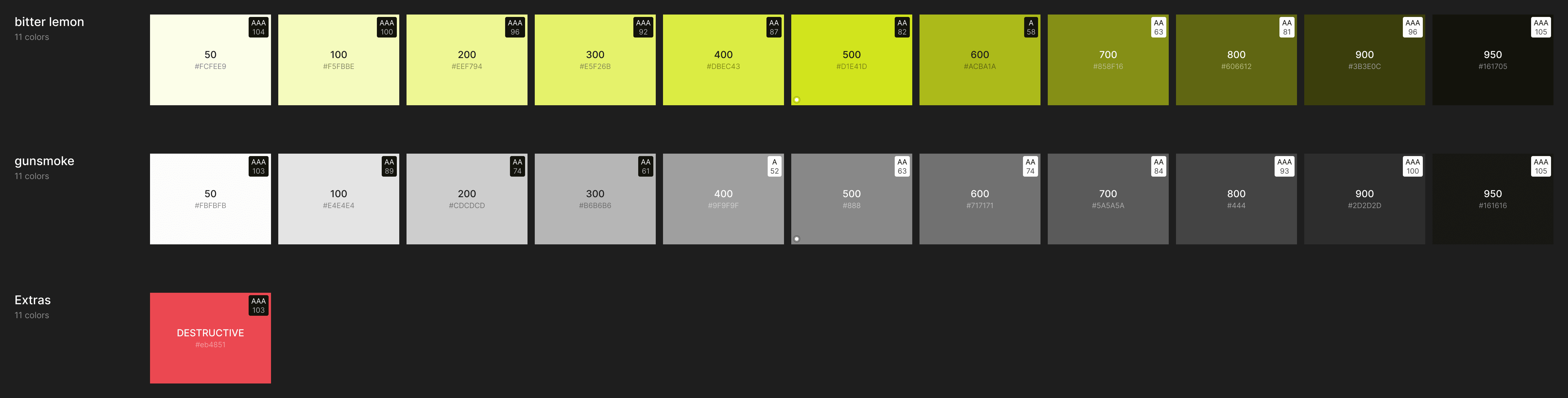
For this application, I took inspiration from Google's material design to keep the app looking clean and minimal. For the color pallet I choose to go with something high contrast colors which compliments the bold design of the app.
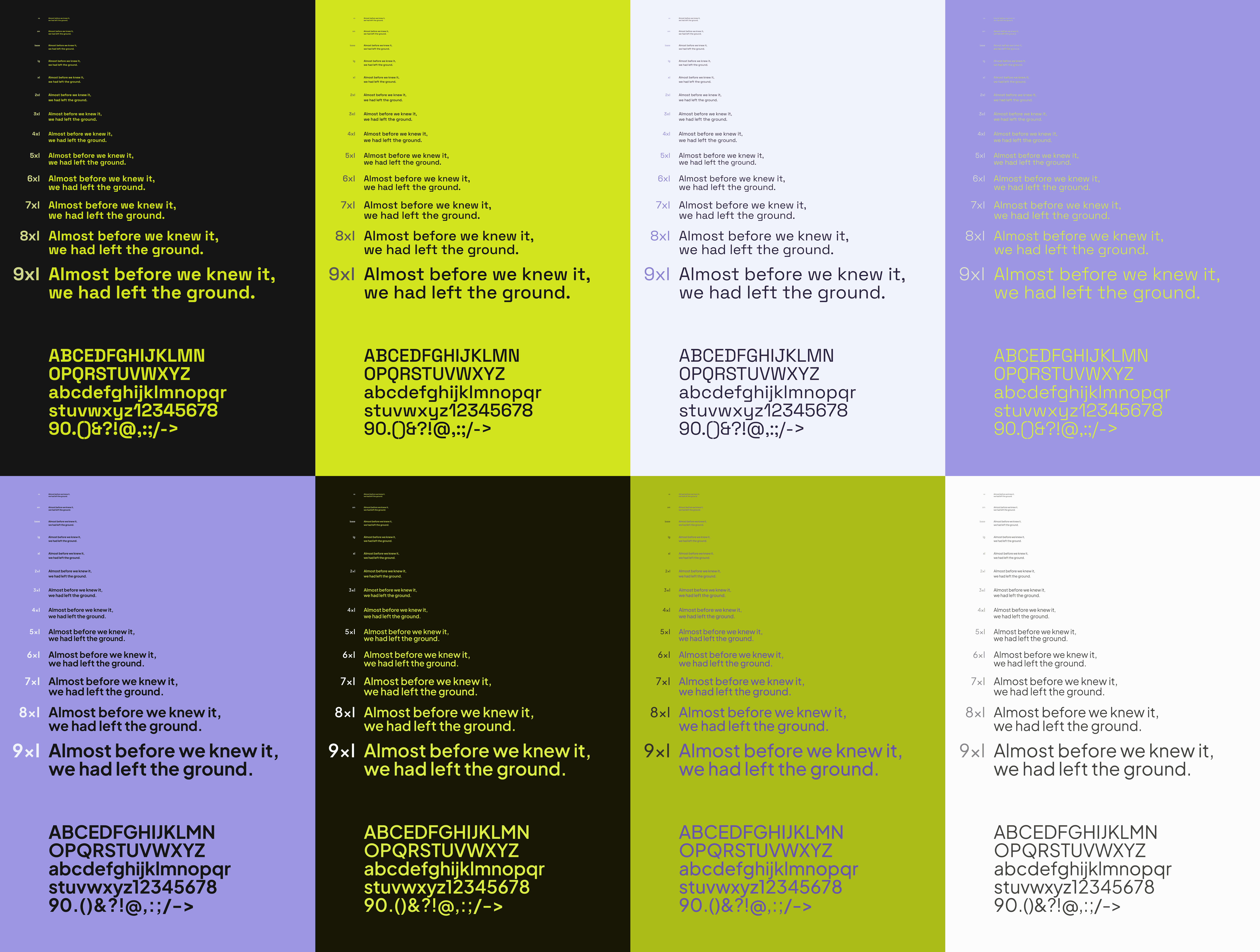
For the fonts, I decided to go with 'Plus Jakarta Sans' and 'Space Grotesk' font combination. I used Space Grotesk for the headers and bigger bolder fonts to make content stand out. Plus Jakarta Sans was used in most places as it has higer readability.
High-fidelity design
Attached below are some of the screenshots of the final design. These do not represent the actual flow and readers are encouraged to explore all the screens on the prototype.
Login screen
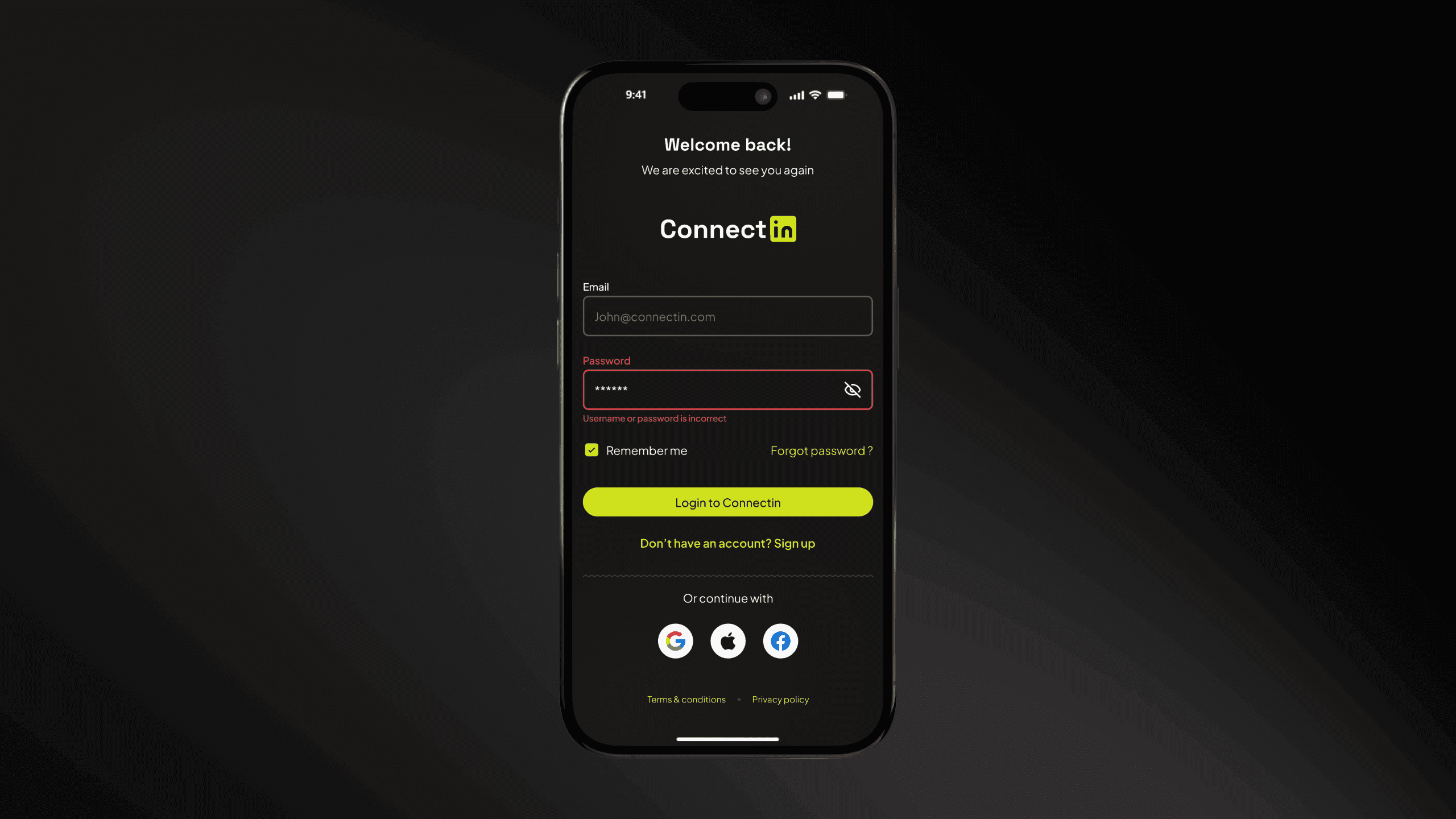
The login experience prioritizes both security and ergonomics. By supporting traditional credentials alongside OAuth integrations—strategically placed within the 'thumb zone' for effortless, one-tap access—the interface immediately establishes the app's modern and intuitive design language. This entry point serves as a visual signature, setting clear expectations for the streamlined experience that follows.
Sign up flow
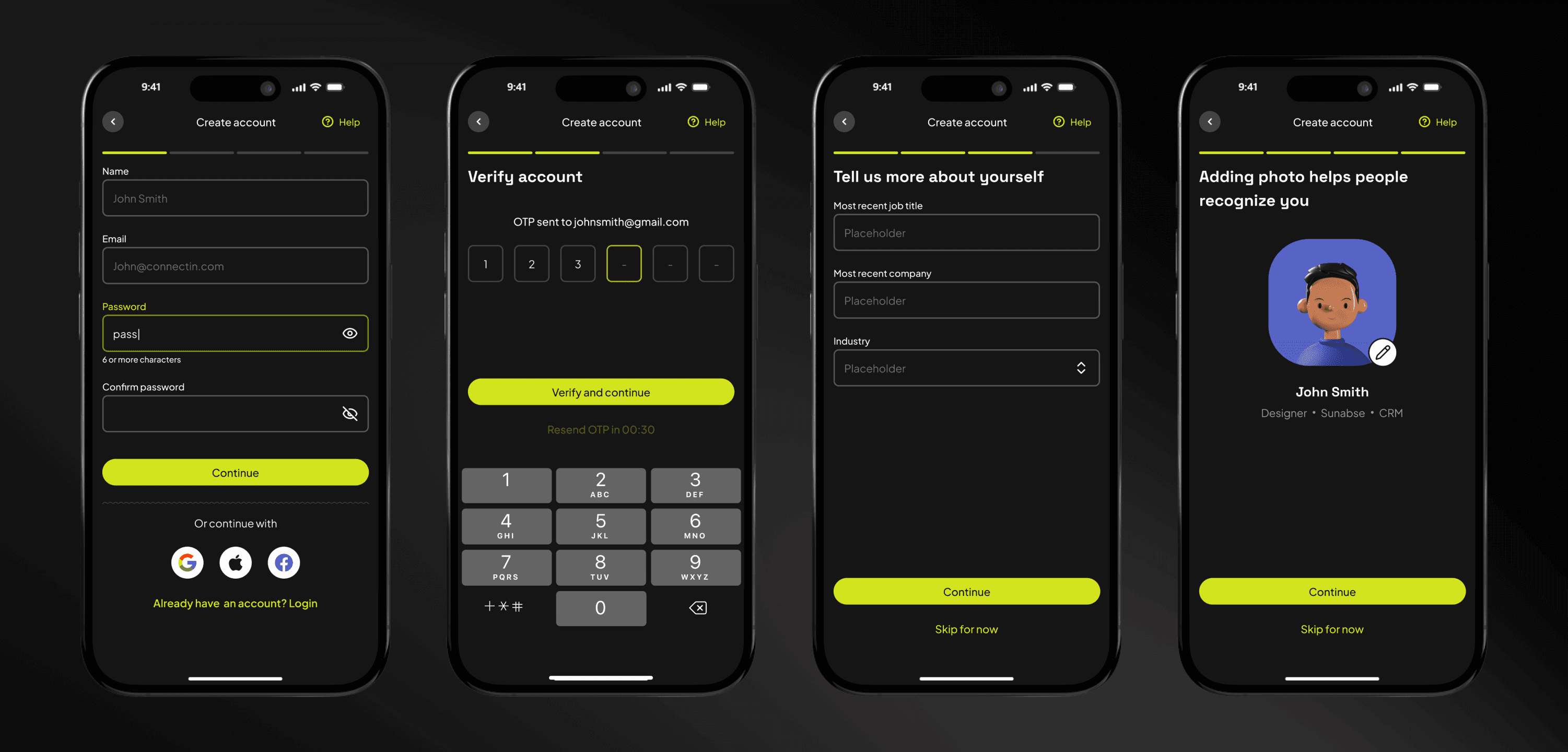
The onboarding journey is designed for simplicity and security. New users follow a streamlined flow to create their credentials, verify their accounts, and build their professional identity by uploading key career details and a profile photo. This ensures every user in the local ecosystem is verified and ready to connect.
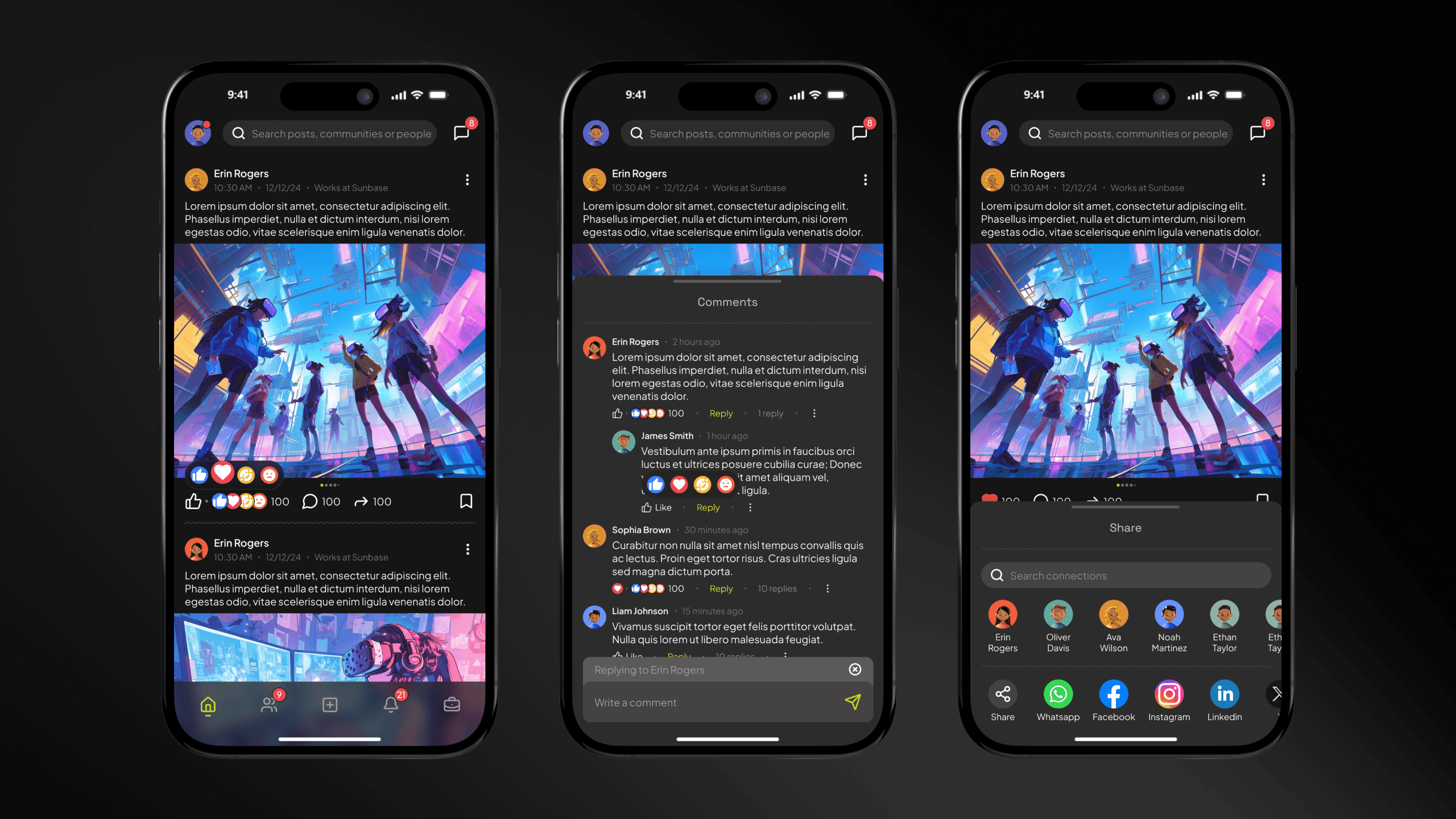
Feed and social interactions
The home feed serves as a centralized hub for professional interaction. We’ve implemented a familiar social architecture—including multi-layered commenting, intuitive reactions, and seamless post-sharing—to encourage active participation and foster real-world connections within the local ecosystem.
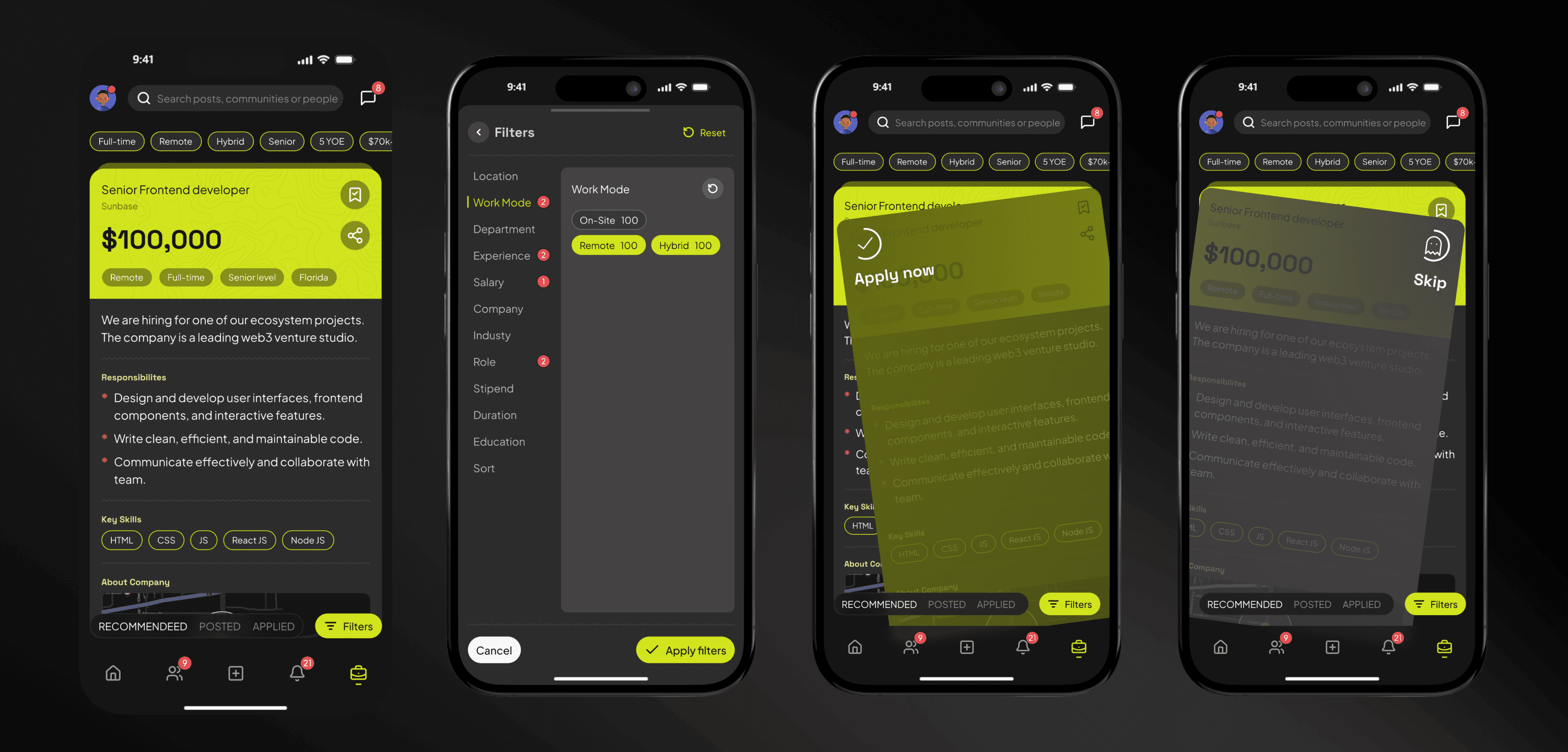
Jobs
The dedicated Job Discovery tab serves as the platform’s core matching engine. Users are presented with personalized role recommendations, which can be further refined using robust search and filtering tools. By expanding a job card, users can review detailed requirements before engaging the primary mechanic: swiping right to instantly apply or left to pass. Post-application, an integrated tracking system provides real-time status updates via push notifications.
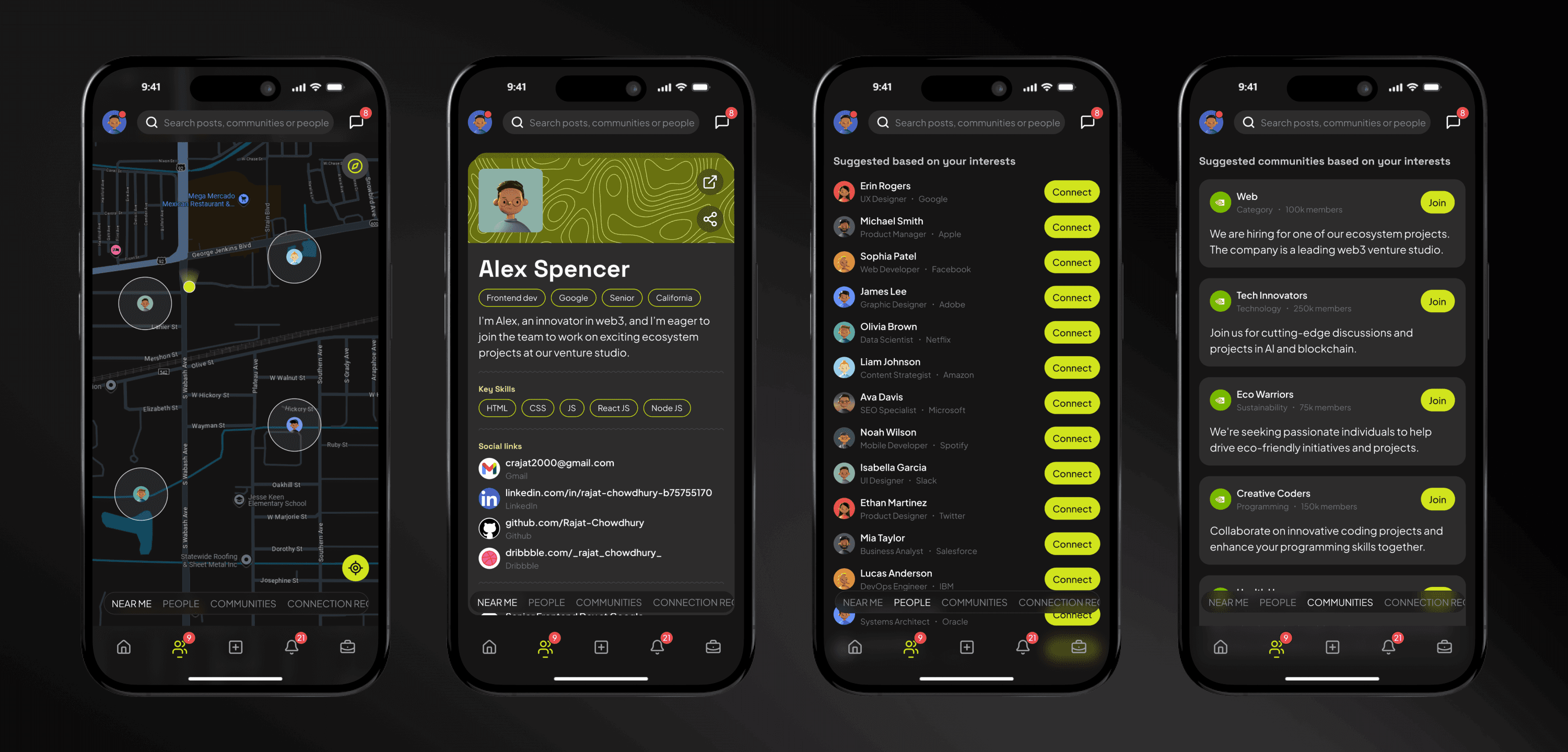
Connections
The Connections page reimagines networking through a geospatial lens. Inspired by interactive map interfaces, users can view the real-time proximity of active professionals in their area, fostering spontaneous local collaboration. The tab also serves as a recommendation engine, offering curated profiles for outreach while providing a streamlined dashboard to manage, accept, or decline incoming connection requests.
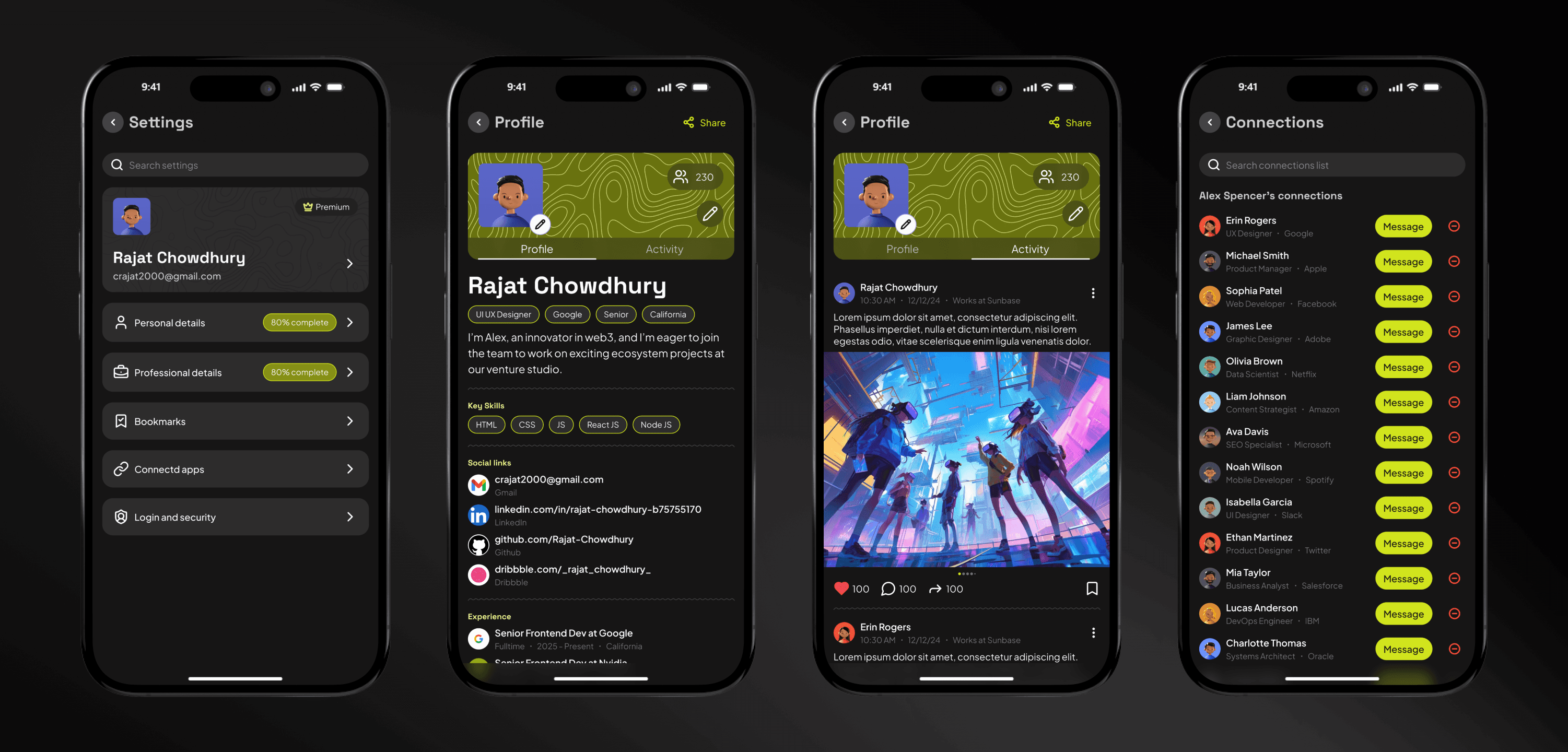
Profile
The Profile Page serves as a central hub for personal branding and account management. Users can seamlessly update their professional credentials, audit their post history, and manage their growing network of connections. Additionally, integrated settings allow for full control over the in-app experience and privacy preferences.
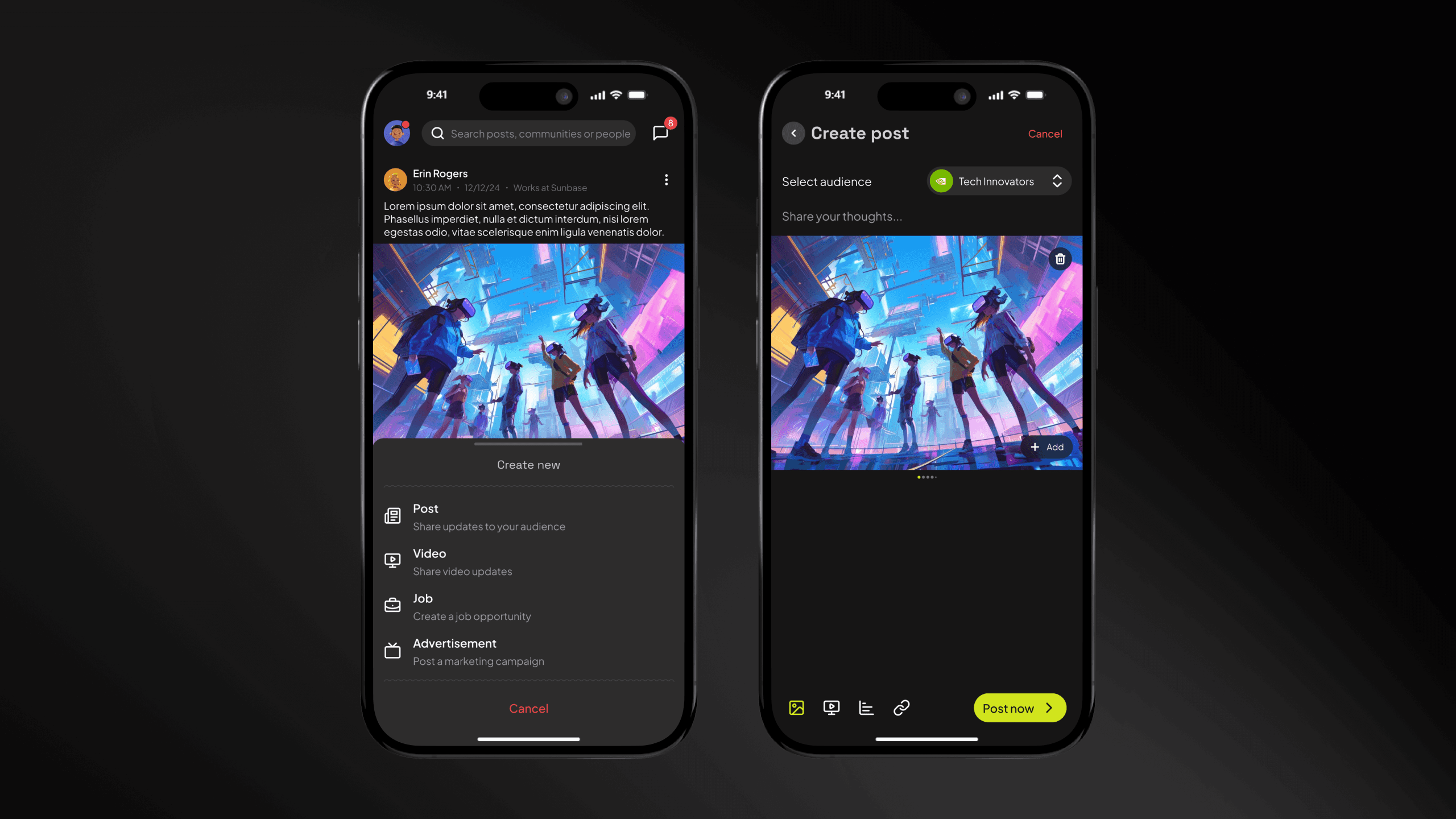
Create new
The Global Create button serves as a centralized action hub, strategically anchored in the bottom navigation bar for maximum accessibility. From this single entry point, users can publish multimodal content—including text posts and video—or launch professional-grade job listings and targeted ad campaigns, streamlining the transition from consumption to creation.
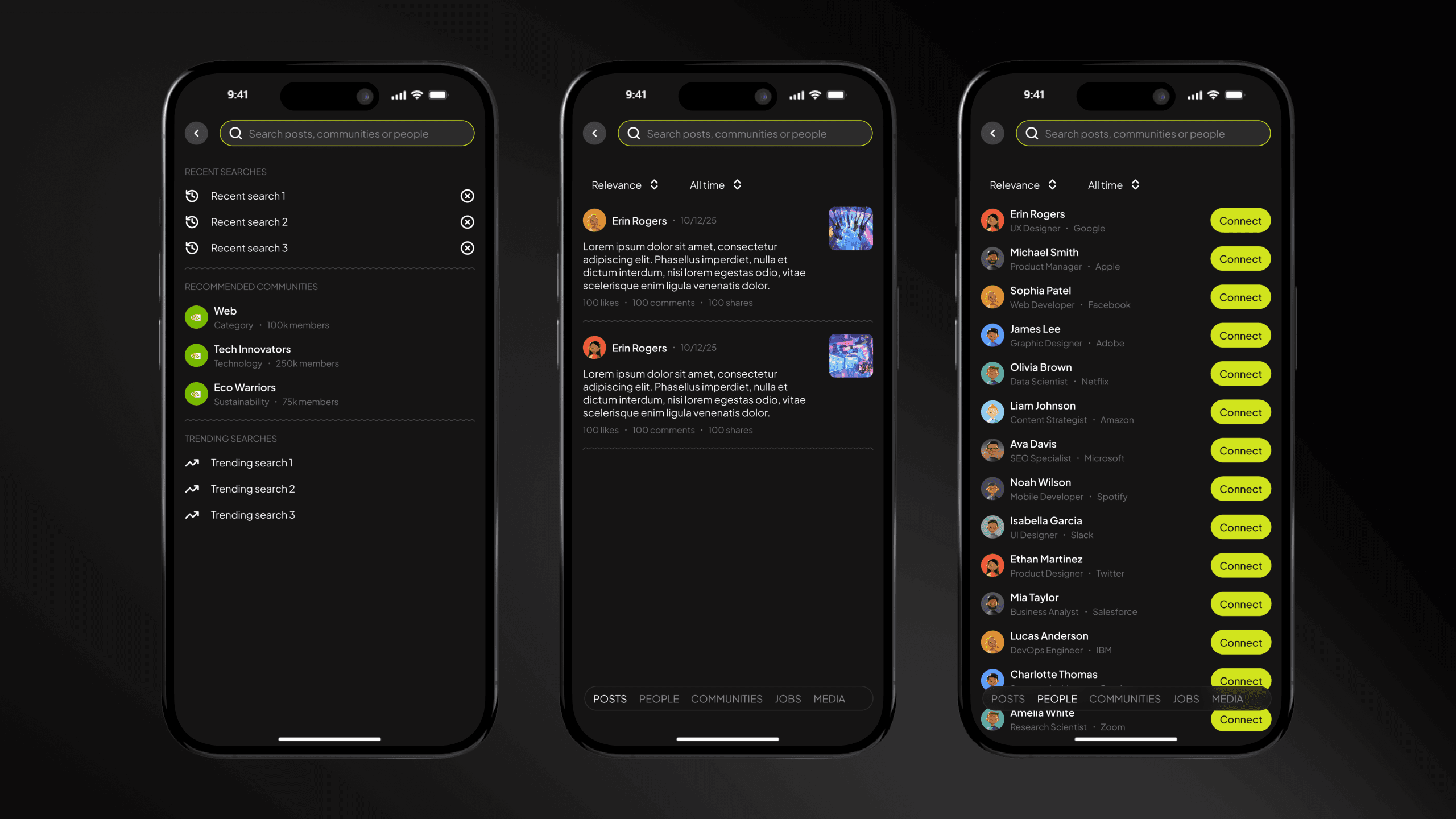
Global search
The Universal Search interface provides a centralized entry point for exploring the entire platform. Users can perform cross-functional queries to discover professional content, nearby connections, and career opportunities simultaneously. This unified discovery engine eliminates the need to navigate between individual tabs, streamlining the search experience into a single, intuitive interaction.
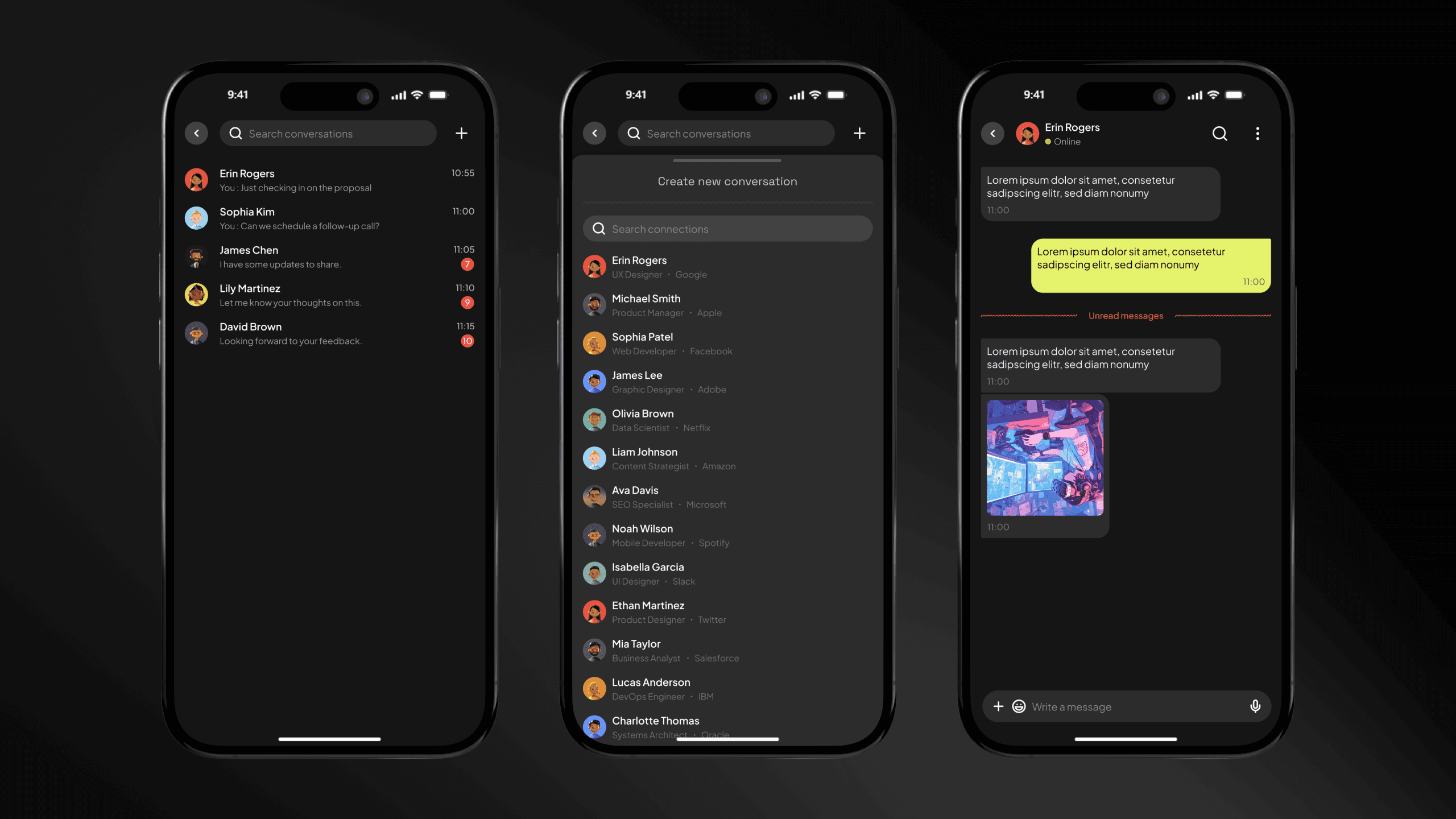
Chat
ConnectIn facilitates immediate professional engagement through an integrated messaging suite. This robust communication module supports the full spectrum of modern chat functionality—including real-time synchronization, media sharing, and read receipts—ensuring that a 'swipe' can transition into a meaningful conversation without ever leaving the platform.
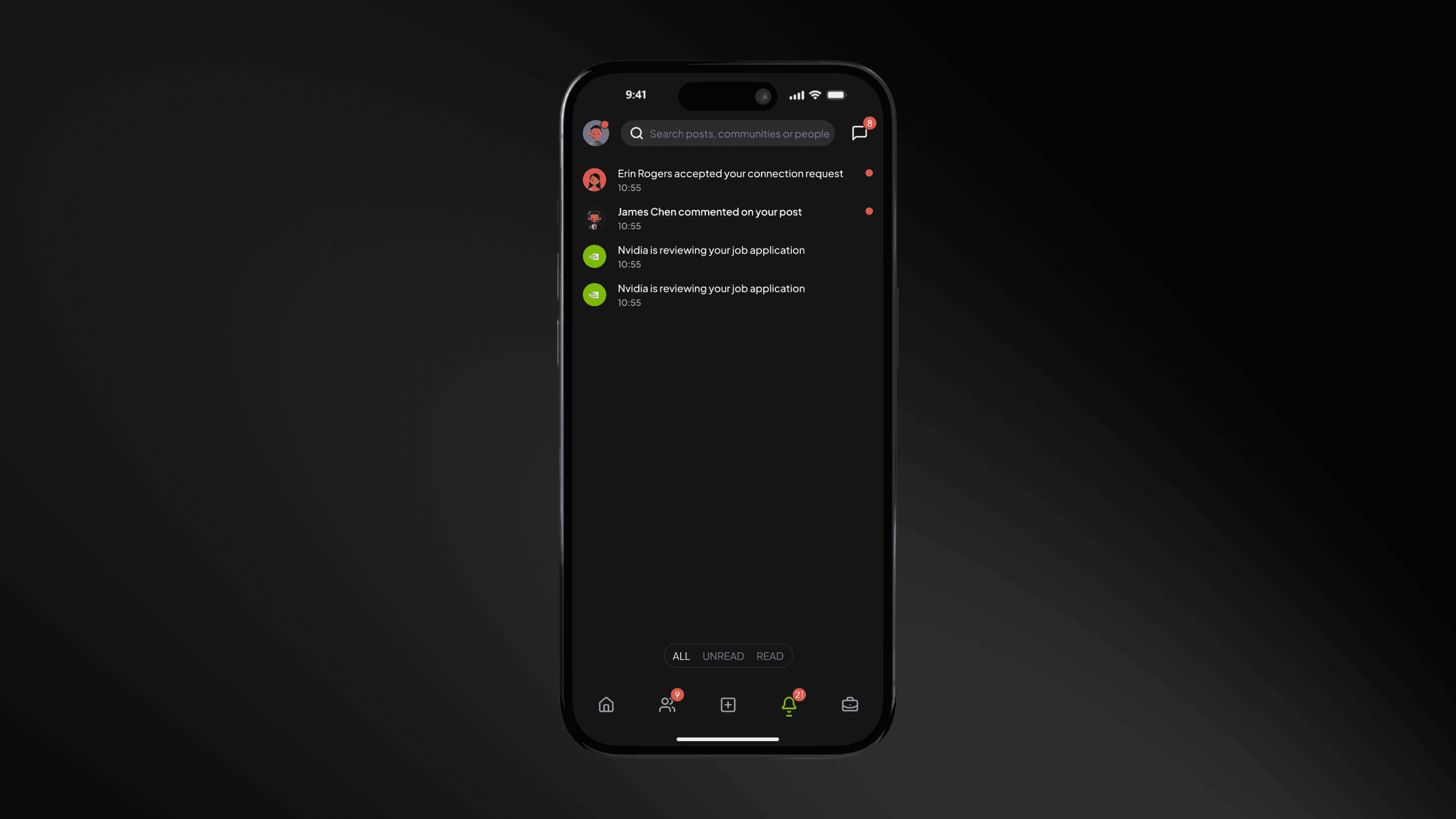
Notifications
We’ve implemented an intelligent notification engine to ensure high user engagement and timely responses. Users receive instantaneous alerts across three core categories: Job Lifecycle (status updates), Network Growth (connection requests), and Social Engagement (post reactions and comments). This ensures a seamless information flow without the risk of missing critical updates.
Click here to check the prototype…
https://www.figma.com/design/cNMFHVpRZBerVMXataD40l/ConnectIn?node-id=588-3428&t=03VgZ0j7HgwQyrx9-1
Contact with us
If you have a project idea in the works or an urge to redefine your brand, let's have a conversation! Your vision, coupled with my design mojo, can turn sparks of creativity into something truly extraordinary. Let's embark on this journey of creative collaboration and bring your ideas to life!